Introduction
A laptop has become one of the most valuable tools for students in schools, colleges, and universities. From attending online classes and completing assignments to conducting research and collaborating on group projects, students depend on their laptops every day. However, using a laptop alone is not always enough to achieve maximum productivity and convenience. The right accessories can improve comfort, protect your device, and make studying more efficient.
In 2026, there are many laptop accessories available for students, ranging from affordable essentials to premium productivity tools. Choosing the right accessories depends on your study habits, budget, and daily routine. This guide highlights the essential laptop accessories every student needs and explains how they contribute to a better learning experience.
Why Laptop Accessories Are Important for Students
Students often carry their laptops between classrooms, libraries, coffee shops, and home. Without proper accessories, laptops are more vulnerable to damage, overheating, battery issues, and limited functionality.
The right accessories help students:
- Protect their laptops
- Stay organized
- Improve productivity
- Work comfortably for longer hours
- Increase storage capacity
- Attend online classes more effectively
- Extend laptop lifespan
Investing in a few quality accessories can make studying easier and reduce long-term repair or replacement costs.
Laptop Backpack
A durable laptop backpack is one of the first accessories every student should own. It protects the laptop while making it easier to carry books, chargers, notebooks, and other essentials.
Look for features such as:
- Padded laptop compartment
- Water-resistant material
- Comfortable shoulder straps
- Multiple storage pockets
- Durable zippers
- Lightweight construction
A well-designed backpack keeps everything organized and protects your laptop during daily travel.
Laptop Sleeve
For students who already own a backpack, a laptop sleeve provides an additional layer of protection against scratches, dust, and minor impacts.
Choose a sleeve with:
- Soft interior lining
- Shock-absorbing padding
- Water-resistant exterior
- Secure zipper closure
- Proper size compatibility
A sleeve is especially useful when carrying the laptop separately.
Wireless Mouse
Although laptop touchpads work well for basic tasks, a wireless mouse offers better accuracy and comfort, especially when editing documents, designing presentations, or working with spreadsheets.
Benefits include:
- Faster navigation
- Better precision
- Reduced hand fatigue
- Portable design
- Long battery life
Bluetooth models eliminate the need for USB receivers, making them ideal for modern laptops.
External Keyboard
Students who spend hours typing assignments or coding projects benefit from using an external keyboard.
Advantages include:
- Comfortable typing experience
- Better typing speed
- Improved posture
- Reduced wrist strain
- Quiet operation
Compact wireless keyboards are perfect for students with limited desk space.
Adjustable Laptop Stand
A laptop stand raises the screen to eye level, helping maintain proper posture during long study sessions.
Important features include:
- Adjustable height
- Foldable design
- Strong aluminum frame
- Non-slip rubber pads
- Cooling ventilation
Using a laptop stand with an external keyboard creates a more ergonomic workspace.
Portable SSD
Students often store large files such as videos, presentations, research papers, and project backups. A portable SSD provides fast and reliable storage.
Benefits include:
- High-speed file transfers
- Compact size
- Excellent durability
- Secure data backup
- Easy portability
Backing up important academic work helps prevent data loss.
USB-C Hub
Many modern laptops have limited ports. A USB-C hub expands connectivity by adding additional ports.
Common ports include:
- USB-A
- HDMI
- SD card reader
- USB-C charging
- Ethernet
This accessory is particularly useful for presentations and transferring files from cameras or flash drives.
Noise-Canceling Headphones
Studying in libraries, dormitories, or cafés can be distracting. Noise-canceling headphones help students concentrate by reducing background noise.
They are useful for:
- Online classes
- Virtual meetings
- Video lectures
- Language learning
- Focused studying
Comfortable ear cushions are important for extended use.
Webcam
While many laptops include built-in webcams, an external webcam often provides better video quality for online classes, presentations, and interviews.
Look for:
- Full HD resolution
- Automatic light adjustment
- Built-in microphone
- Wide viewing angle
- Plug-and-play setup
Clear video improves communication during virtual learning.
Portable Charger
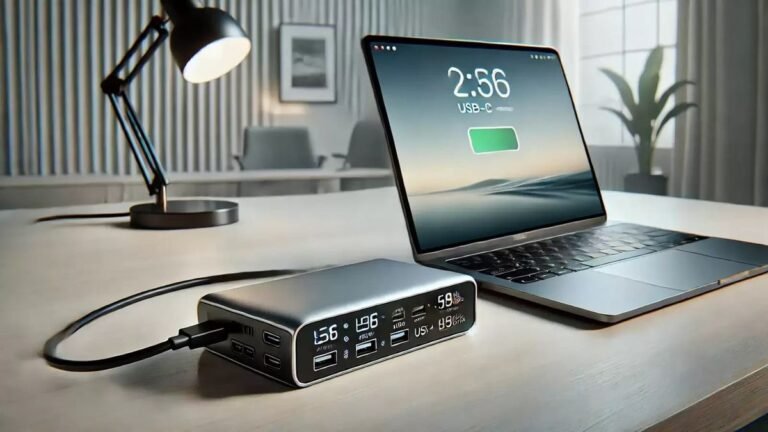
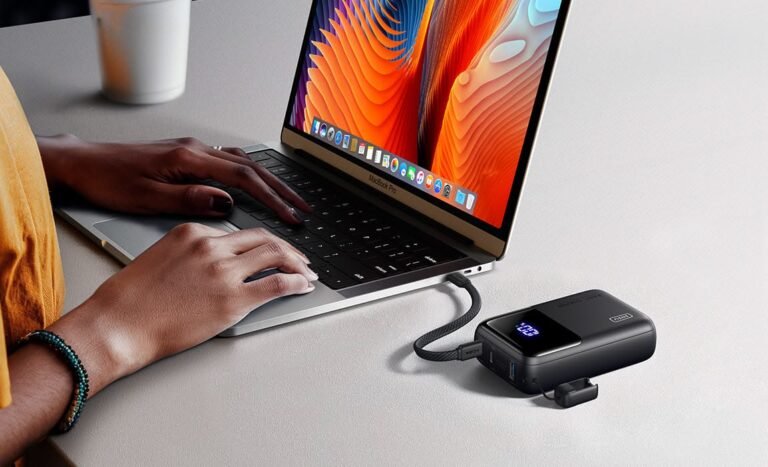
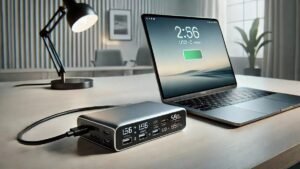
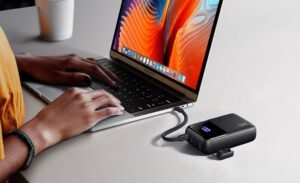
Students frequently spend long hours away from power outlets. A high-capacity power bank that supports laptop charging can keep devices running throughout the day.
Choose one with:
- USB-C Power Delivery
- High output wattage
- Multiple charging ports
- Fast charging support
- Reliable safety protection
Always verify compatibility with your laptop model.
Cooling Pad
Heavy multitasking or long study sessions can cause laptops to become warm. A cooling pad improves airflow and helps maintain stable performance.
Features to consider:
- Quiet fans
- Adjustable height
- Lightweight design
- USB-powered operation
Cooling pads are especially useful for students studying engineering, programming, or graphic design.
Flash Drive
Although cloud storage is popular, a USB flash drive remains useful for quickly transferring files between devices.
A quality flash drive is ideal for:
- Assignment submissions
- Presentation backups
- Document sharing
- Emergency storage
Keeping one in your backpack is always a good idea.
Blue Light Glasses
Extended screen time can lead to digital eye strain. Blue light filtering glasses may help improve comfort during long study sessions when combined with regular screen breaks and proper lighting.
Desk Lamp
Good lighting improves concentration and reduces eye fatigue.
Modern LED desk lamps often include:
- Adjustable brightness
- Touch controls
- Flexible neck
- Energy-efficient lighting
- USB charging ports
Proper lighting creates a comfortable study environment.
Cable Organizer
Chargers, headphones, USB cables, and adapters can quickly create clutter.
Cable organizers help students:
- Keep accessories organized
- Prevent tangled cables
- Save backpack space
- Protect charging cables from damage
Organization makes daily study routines more efficient.
Tips for Choosing Student Laptop Accessories
Before buying accessories, students should consider:
- Laptop compatibility
- Daily study requirements
- Portability
- Build quality
- Warranty coverage
- Battery life
- Budget
Buying practical accessories is usually more beneficial than purchasing unnecessary gadgets.
Common Buying Mistakes
Students should avoid these common mistakes:
- Buying accessories without checking compatibility
- Choosing the cheapest option over quality
- Ignoring warranty information
- Purchasing oversized backpacks
- Forgetting ergonomic accessories
- Overlooking storage needs
Thoughtful purchases provide better long-term value.
Frequently Asked Questions
Which laptop accessory should students buy first?
A protective laptop backpack is often the first essential purchase because it protects the device during daily travel.
Is a wireless mouse necessary?
While not essential, a wireless mouse improves comfort and productivity for writing, editing, and research tasks.
Should students use cloud storage or portable SSDs?
Using both provides the best protection. Cloud storage offers online access, while a portable SSD serves as a reliable offline backup.
Are laptop stands worth it for students?
Yes. Laptop stands improve posture and reduce neck strain during long study sessions.
What is the most affordable useful accessory?
A laptop sleeve, wireless mouse, USB flash drive, or cable organizer offers excellent value at an affordable price.
Conclusion
The right laptop accessories help students work more efficiently, stay organized, and protect their investment. Essentials such as a laptop backpack, sleeve, wireless mouse, adjustable stand, USB-C hub, portable SSD, cooling pad, and noise-canceling headphones can significantly improve the learning experience.
Instead of purchasing every available accessory, students should focus on products that match their daily needs and study habits. By choosing reliable, high-quality accessories, students can create a productive workspace that supports academic success throughout 2026 and beyond.