


Introduction
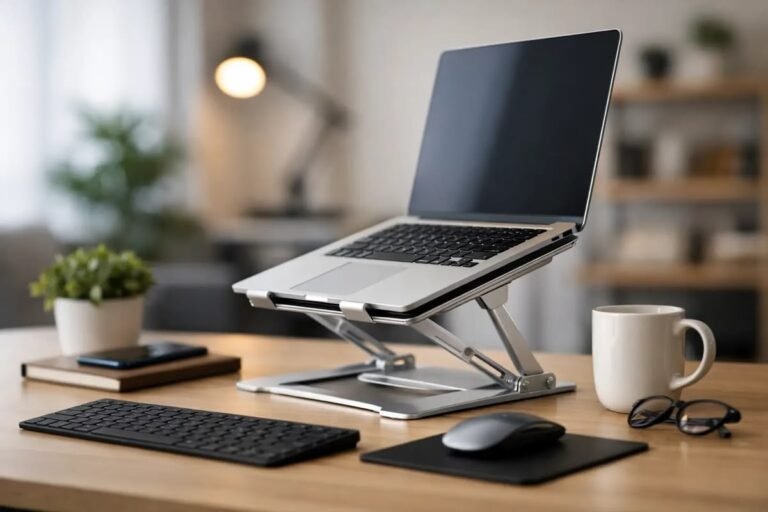
An adjustable laptop stand is one of the most useful accessories for creating a comfortable and productive office workspace. Whether you work in a corporate office, a home office, or a hybrid environment, using a laptop directly on a desk often forces you to look downward for extended periods. This can lead to neck pain, shoulder tension, back discomfort, and reduced productivity.
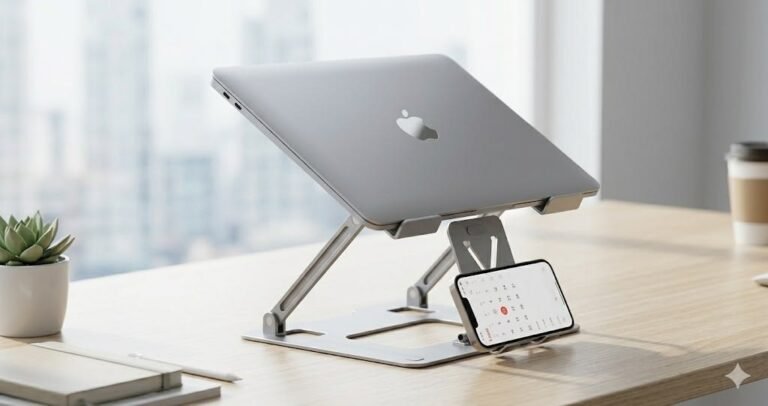
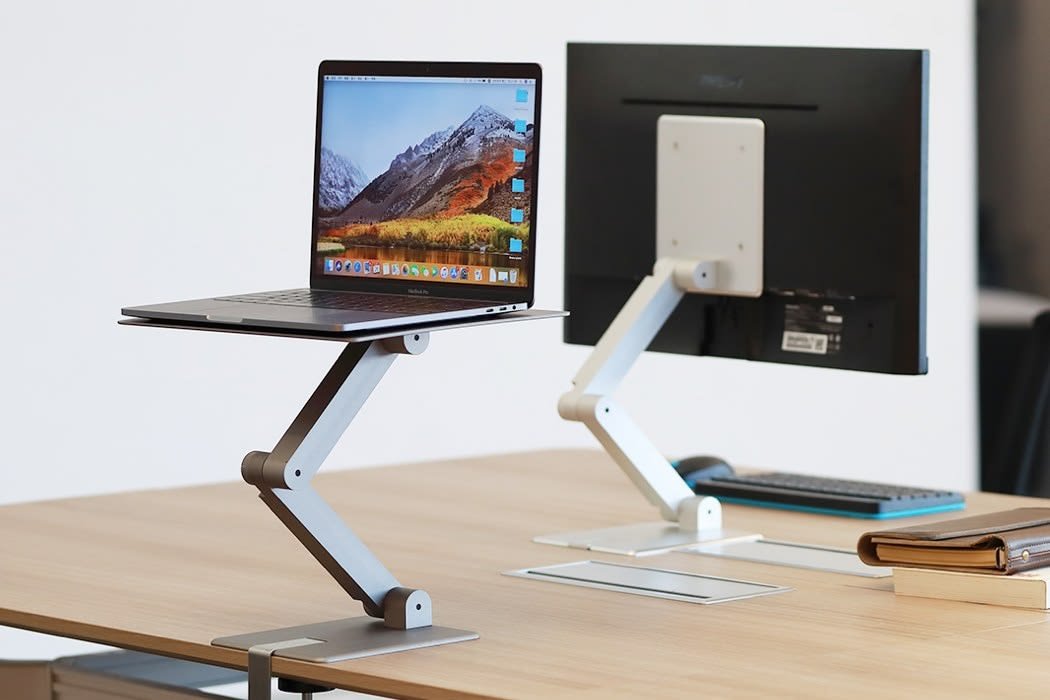
In 2026, adjustable laptop stands have become more advanced, offering improved stability, better ventilation, lightweight designs, and ergonomic adjustments. They help position your laptop screen at eye level while allowing you to pair it with an external keyboard and mouse for a healthier workstation.
This guide explains the benefits of adjustable laptop stands, the features to consider before buying one, and how to choose the best model for office use.
Why Use an Adjustable Laptop Stand?
Using a laptop stand improves both comfort and efficiency during long working hours.
Some of the main benefits include:
- Better posture
- Reduced neck and shoulder strain
- Improved airflow around the laptop
- More organized workspace
- Enhanced productivity
- Greater viewing comfort
- Better compatibility with external keyboards and mice
A properly adjusted laptop stand creates a workstation that supports long-term health and comfort.
Ergonomic Benefits
One of the biggest advantages of an adjustable stand is improved ergonomics.
Instead of looking down at your laptop screen, you can raise it closer to eye level. This helps keep your neck in a more natural position and reduces muscle fatigue.
Proper ergonomics can also help:
- Reduce back pain
- Improve sitting posture
- Minimize wrist strain
- Increase focus
- Improve working comfort
These improvements become especially noticeable during long office sessions.
Adjustable Height
Height adjustment is the most important feature.
A quality laptop stand should allow users to position the screen at a comfortable viewing level based on their desk and chair height.
Benefits include:
- Personalized viewing angle
- Improved posture
- Reduced eye strain
- Comfortable video meetings
Flexible adjustment allows different users to customize the stand according to their preferences.
Adjustable Viewing Angle
Besides height adjustment, many stands allow the laptop to tilt forward or backward.
A proper viewing angle helps:
- Reduce glare
- Improve screen visibility
- Increase typing comfort
- Enhance video conferencing
Having multiple adjustment points makes the stand more versatile.
Stable Construction
A laptop stand should remain stable while typing or adjusting the screen.
Look for:
- Strong aluminum construction
- Reinforced joints
- Wide base
- Anti-slip rubber feet
- Secure support arms
A stable stand prevents unwanted movement and improves safety.
Aluminum Build Quality
Aluminum remains one of the most popular materials for laptop stands.
Advantages include:
- Lightweight
- Strong
- Durable
- Modern appearance
- Excellent heat dissipation
Aluminum also helps transfer heat away from the laptop, supporting better cooling.
Ventilation and Cooling
Proper airflow helps maintain laptop performance.
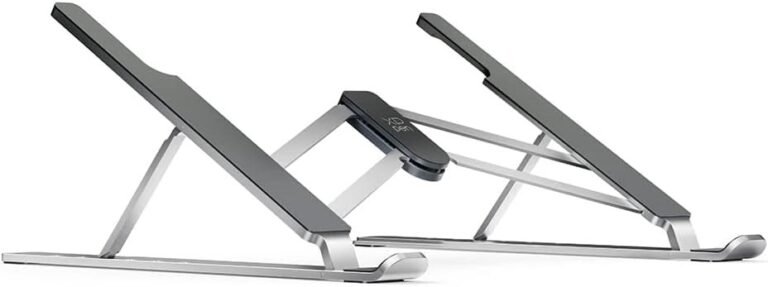
Many adjustable stands feature:
- Open-frame design
- Ventilation cutouts
- Elevated positioning
- Heat-dissipating materials
Better airflow helps reduce heat buildup during demanding tasks such as programming, video editing, or multitasking.
Foldable Design
A foldable stand is ideal for professionals who travel between home and office.
Benefits include:
- Easy storage
- Lightweight portability
- Convenient transport
- Quick setup
Compact folding stands fit easily inside backpacks and laptop bags.
Weight Capacity
Before purchasing, verify the stand supports your laptop’s weight.
Most quality stands comfortably support:
- Ultrabooks
- Business laptops
- Gaming laptops
- Workstations
A higher weight capacity generally indicates stronger construction.
Compatibility
Most adjustable laptop stands support a wide range of laptop sizes.
Typical compatibility includes:
- 11-inch laptops
- 13-inch laptops
- 14-inch laptops
- 15.6-inch laptops
- 16-inch laptops
- 17-inch laptops
Always confirm compatibility with your specific laptop model.
Cable Management
Some laptop stands include openings or channels that help organize charging cables.
Good cable management offers:
- Cleaner workspace
- Reduced clutter
- Easier desk organization
- Improved appearance
An organized desk often contributes to better productivity.
Non-Slip Protection
Rubber padding protects both the laptop and the desk surface.
Important features include:
- Rubber support pads
- Anti-slip feet
- Scratch protection
- Stable grip
These features prevent the laptop from sliding during use.
Best Types of Adjustable Laptop Stands
Fixed Office Stand
Ideal for permanent desk setups.
Advantages include:
- Maximum stability
- Excellent durability
- Comfortable viewing position
Foldable Stand
Suitable for professionals who travel regularly.
Benefits include:
- Compact storage
- Lightweight design
- Easy transportation
Multi-Angle Stand
Provides multiple height and angle adjustments for personalized comfort.
Rotating Stand
Allows the laptop to rotate for easier collaboration during meetings and presentations.
Tips for Choosing the Right Laptop Stand
Before making a purchase, consider:
- Laptop size compatibility
- Build quality
- Weight capacity
- Height adjustment range
- Portability
- Cooling design
- Stability
- Warranty
Choosing a stand that matches your work style provides the greatest long-term value.
Common Buying Mistakes
Avoid these common mistakes:
- Buying a stand without adjustable height
- Choosing poor-quality materials
- Ignoring laptop weight limits
- Purchasing unstable designs
- Forgetting portability needs
- Selecting appearance over functionality
Carefully comparing features helps you make a smarter purchase.
Frequently Asked Questions
Are adjustable laptop stands worth buying?
Yes. They improve posture, increase comfort, reduce neck strain, and create a more ergonomic workspace for everyday office use.
Does a laptop stand improve cooling?
Yes. Raising the laptop improves airflow underneath the device, helping reduce heat buildup during extended use.
Can I type directly on a raised laptop?
While possible, using an external keyboard and mouse provides a much more comfortable and ergonomic experience.
Which material is best?
Aluminum is one of the best materials because it combines durability, lightweight construction, and effective heat dissipation.
Are foldable laptop stands stable?
High-quality foldable stands offer excellent stability while remaining portable, making them ideal for hybrid workers and business travelers.
Conclusion
An adjustable laptop stand is one of the best investments for improving office productivity and comfort. By raising your laptop to eye level, improving airflow, and supporting better posture, a quality stand helps reduce physical strain while creating a more efficient workspace.
When choosing a laptop stand, prioritize adjustable height, sturdy construction, compatibility, portability, ventilation, and overall build quality. Whether you work from a corporate office, a home office, or a hybrid environment, the right adjustable laptop stand can make everyday computing more comfortable, organized, and productive throughout 2026 and beyond.